


-
 Pick up from the Woodmart Store
-
 Courier delivery
-
 DHL Courier delivery
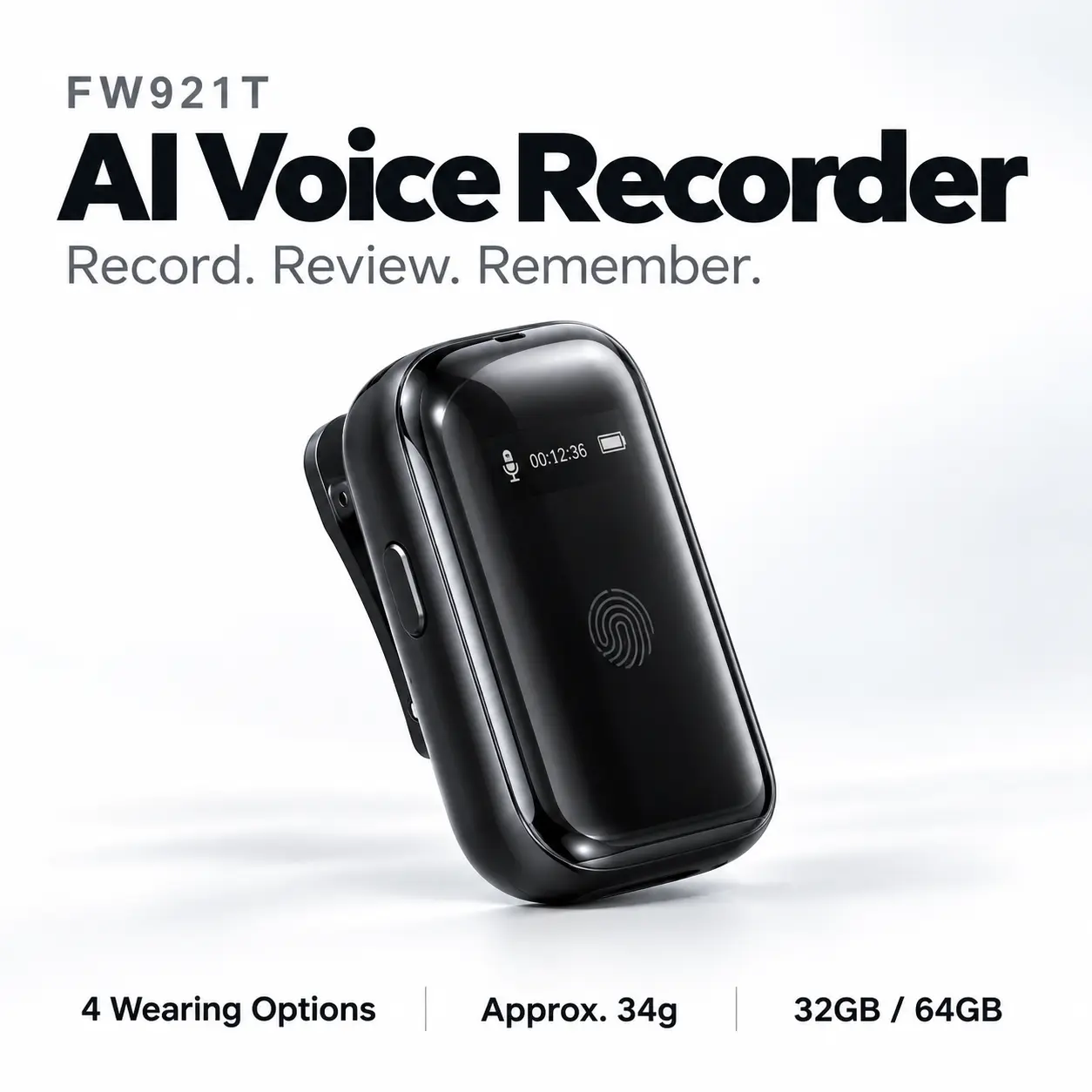
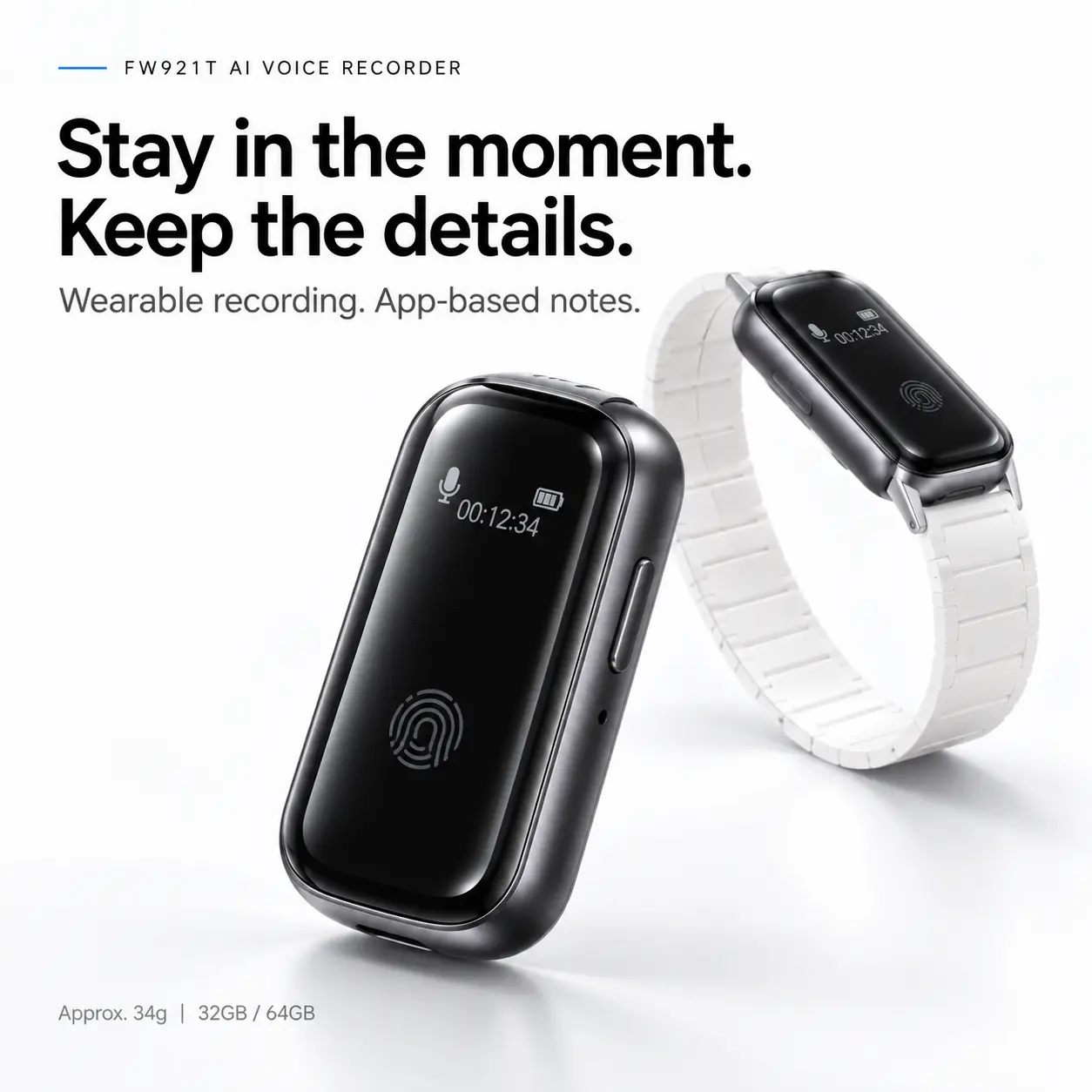
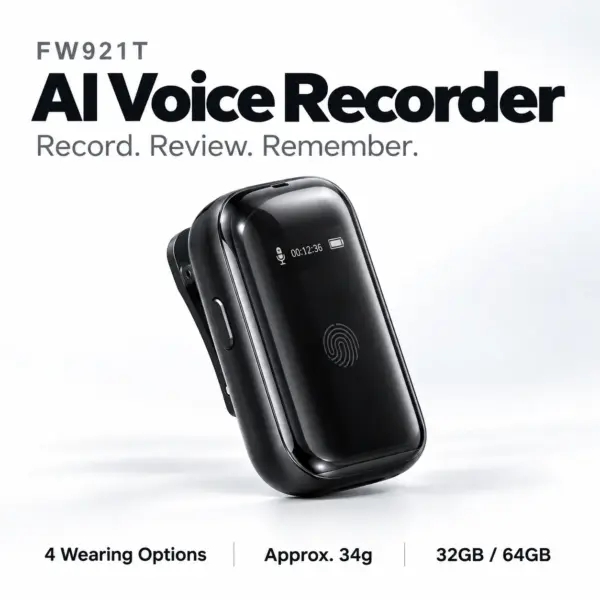
FW921T AI Voice Recorder
Be present.
Keep what matters.
A compact wearable voice recorder for meetings, lectures and interviews. Capture the conversation, then use the companion app to turn recorded speech into transcripts, summaries and structured notes.
More than a recording to revisit
Capture the words.
Give the ideas a clear shape.
An explanation worth hearing again. A decision to follow up. An idea you want to develop. FW921T combines portable audio recording with app-based tools that help you work with what was said.
Keep the conversation.
Choose a comfortable wearing position and capture audio with a dedicated digital voice recorder.
Return to the wording.
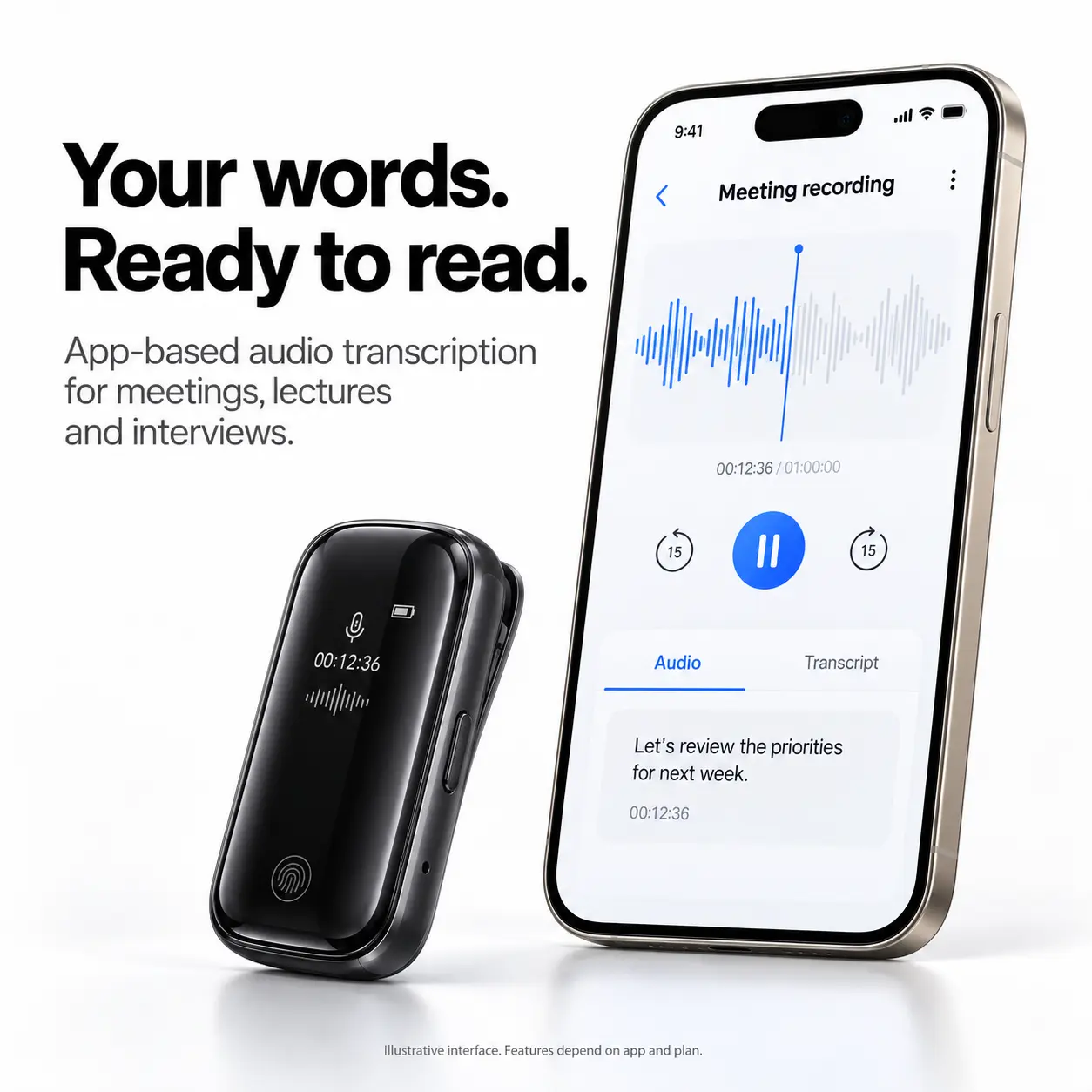
Use available speech-to-text tools to review recorded material in a readable format alongside the original audio.
See the next step.
Explore AI summaries, action items and mind maps to turn a recorded discussion into a starting point for further work.
Transcription, translation and AI organization operate through the companion app and associated services. Features, internet requirements and usage allowances depend on the app and plan.
Wear it your way
A fit for the way
your day unfolds.
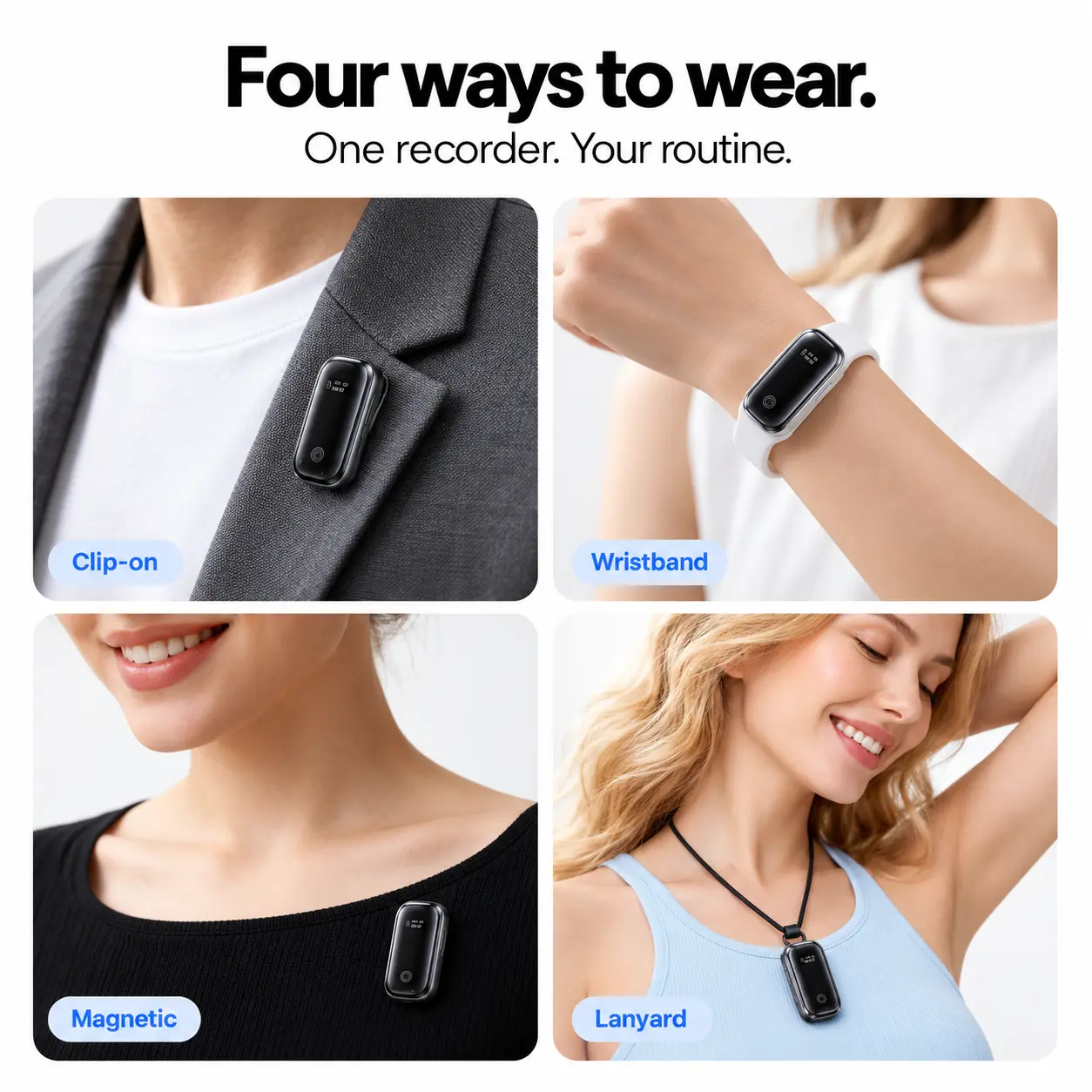
Wear it on your clothing, around your neck or on your wrist. Four attachment options let you adapt your recording setup without changing devices.
On your collar.
Attach the back clip to a suitable clothing edge for hands-free carrying with the recorder within reach.
Close at hand.
Fit the main unit into the wristband assembly when you prefer to keep the recording controls on your wrist.
Another way to attach.
Use the magnetic accessories on suitable clothing, keeping the attachment secure and the microphone clear.
Around your neck.
Choose the lanyard for an alternative carrying position. Minimize swinging and contact with clothing while recording.
Placement, movement and fabric contact can affect audio quality. Make a short test recording before an important session.
Speech to text
Hear it again.
Read it differently.
A voice recorder with transcription gives you another way to revisit spoken information. Use the companion app to create a written starting point for reviewing recorded speech.
Work through a lecture explanation, revisit an interview answer or check the discussion behind a meeting decision.
- Meetings: prepare follow-up notes with the recorded conversation as a reference.
- Lectures: return to material that needs a closer look.
- Interviews: review recorded answers before choosing quotations.
Automated transcripts can contain errors. Check names, numbers, quotations and important details against the original recording.
AI-assisted organization
Less to sort through.
More to build on.
A transcript preserves the wording. A summary helps you see the main points. App-based AI tools offer different ways to organize the information in a recorded conversation.
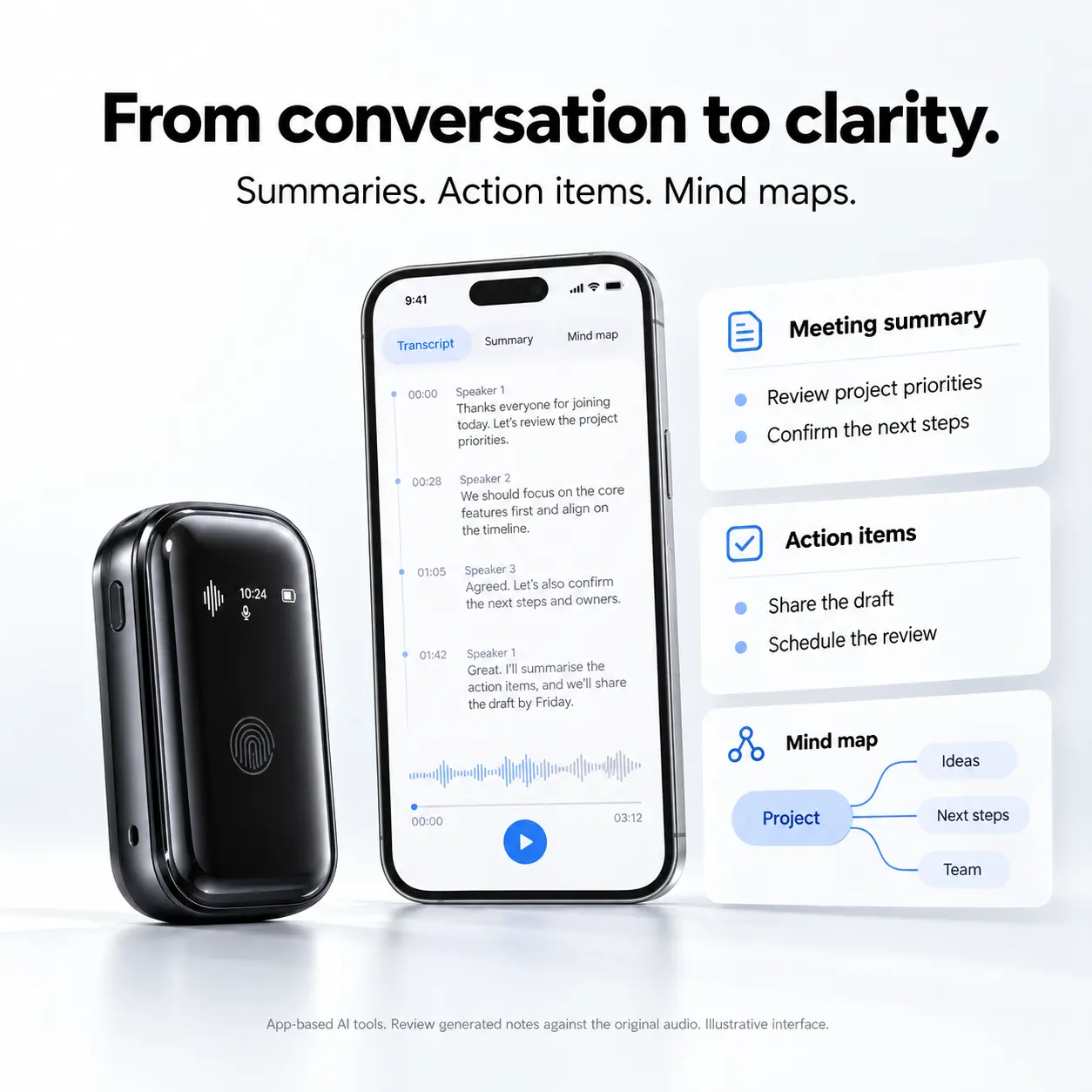
Begin with the overview.
Use an AI-assisted summary to revisit the main topics before exploring the full transcript and recording.
Review what comes next.
Identify proposed tasks and follow-up points. Confirm responsibilities and deadlines before sharing the results.
Connect the discussion.
Explore a visual outline of topics and relationships when revising study material or developing a project idea.
Available summary formats and AI tools vary with the app version and service plan. Generated notes should be reviewed against the original audio.
Language tools
Another way to understand
a multilingual conversation.
Companion-app translation tools can help you review recorded speech in a supported language, whether you are working across borders or exploring spoken learning material.
For international work.
Use available translation alongside a transcript when reviewing multilingual discussions. Check important wording and meaning before acting on the result.
For learning through listening.
Return to recorded speech and use supported language tools as an additional aid, keeping the original audio available for context and pronunciation.
Supported language sets may differ between transcription, translation and real-time translation. Check the app’s current language list, connectivity requirements and plan before purchase.
Recording time and capacity
Make space
for the full discussion.
From a longer session to several conversations throughout the day, recording time and storage help shape your routine. Choose the listed capacity that suits the audio you want to keep.
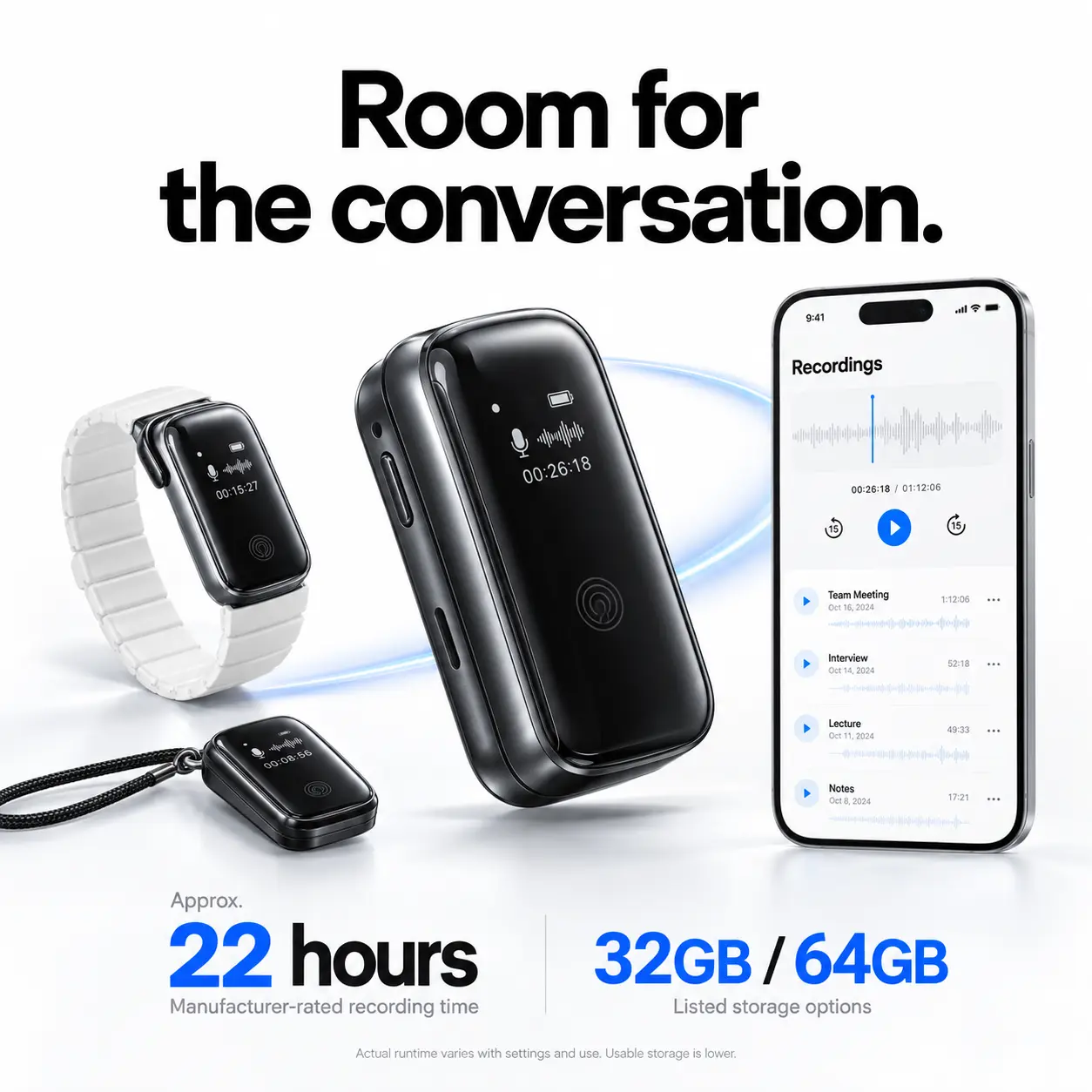
Approximately 22 hours.
The manufacturer’s primary specification lists approximately 22 hours of continuous recording. Actual runtime depends on settings, connected features, battery condition and use.
32GB or 64GB.
Choose between the listed local storage configurations. The 64GB version provides more nominal recording space; usable capacity is lower than the stated total.
Battery runtime does not establish equally long live transcription or translation. Storage duration depends on recording settings. Local capacity is separate from cloud storage and AI processing allowances.
How to use FW921T
A simple recording routine.
Prepare your recorder, capture the session and review the results in the format that helps you most.
-
Position and prepare.
Choose your wearing accessory, keep the microphone clear and check battery level and available storage. Make a short test recording to confirm the position.
-
Record the conversation.
Start recording with the device controls and check its status display. Minimize clothing contact, movement and nearby background noise where practical.
-
Review and organize.
Follow the companion app’s connection and transfer instructions. Use available transcripts, summaries, translations or mind maps, then review the output.
The connected experience
Your recorder.
Your companion app.
FW921T is presented with Bluetooth 5.3, Wi-Fi features and companion software for iOS and Android. The recorder captures audio; the app provides the supported tools for working with it.
Follow the pairing flow.
Connect using the supported app workflow. Check phone compatibility, app permissions and the supplied setup instructions.
Work with connected services.
Cloud transfer and synchronization are shown in the product presentation. Operation depends on the network, app setup and available service plan.
Check your phone’s requirements.
Confirm the app’s current operating-system requirements, regional availability and account requirements before choosing your configuration.
Review the app’s privacy terms, upload settings and deletion controls before processing sensitive material. Local and cloud storage features do not by themselves establish encryption, automatic backup or a particular data-use policy.
Find your everyday use
For conversations
you want to come back to.
A portable voice recorder can serve different parts of your day. Choose the position and review tools that fit the session.
Keep decisions in context.
Capture planning sessions, project updates and team discussions. Use the recording and available AI meeting notes when preparing follow-up work.
Revisit the explanation.
Use the lecture recorder to return to spoken material and review available transcripts or mind maps alongside your own study notes.
Listen now. Review afterward.
Retain an audio reference for recorded interviews and research conversations. Check quotations against the original before publishing.
Give spoken ideas a starting point.
Record brainstorming sessions, content outlines and verbal notes, then use available organization tools to develop them further.
Record only where permitted and obtain any required consent. Confirm suitability before using connected services for confidential discussions.
Explore the accessory set
Different ways to carry.
One compact recorder.
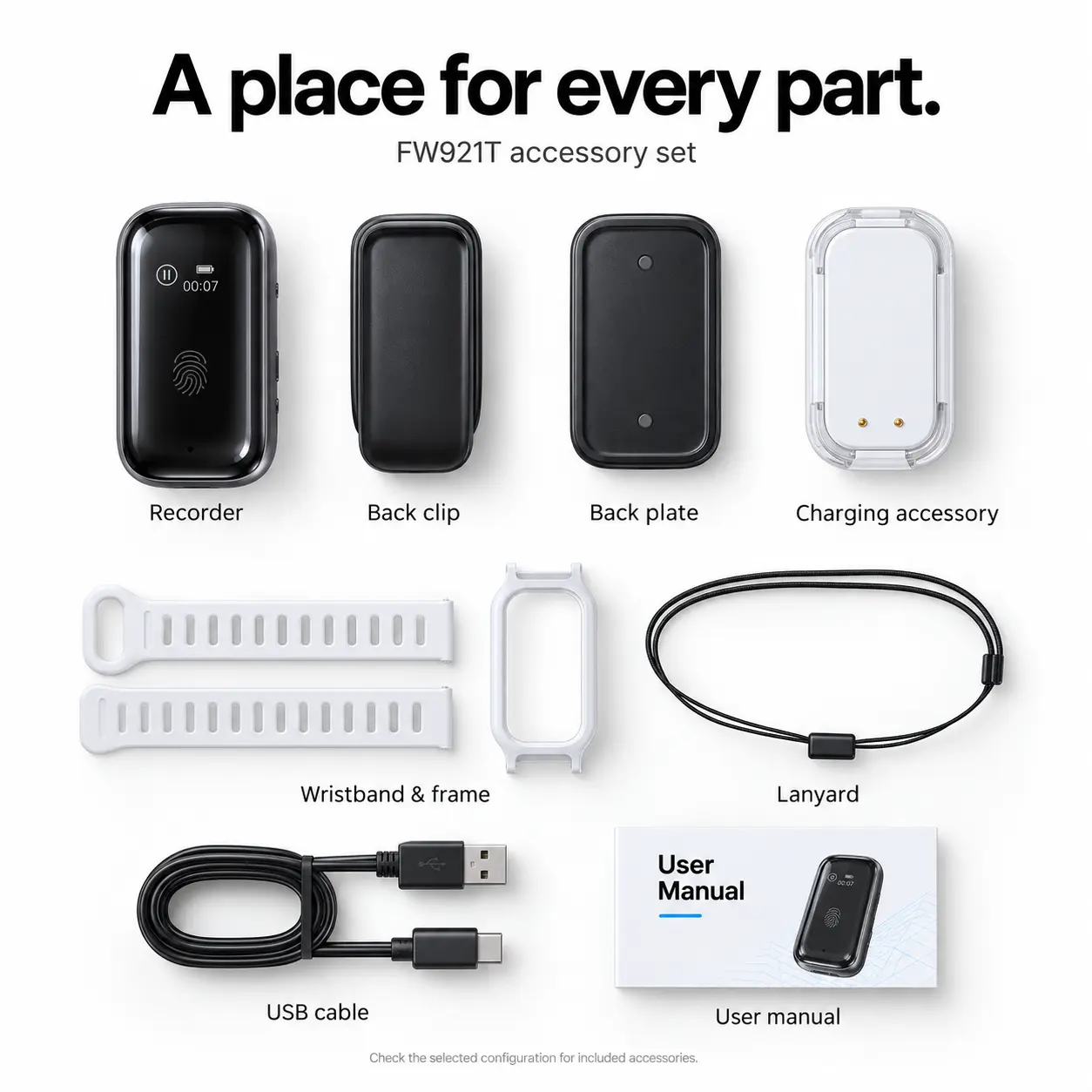
The illustrated bundle brings the recording unit, wearing attachments and charging components together.
- FW921T recording unit
- Magnetic back clip
- Magnetic back plate
- White wristband and mounting frame
- Neck lanyard
- Charging accessory
- USB charging cable
- User manual
Check the selected configuration for the exact included accessories. Independent battery capacity and extra recharge counts are not specified for the charging accessory.
A closer look
FW921T specifications.
The essential hardware details, with companion-app capabilities kept distinct from the recording unit.
| Model | FW921T |
|---|---|
| Product type | Wearable digital voice recorder with companion-app AI tools |
| Listed color | Black |
| Listed storage | 32GB / 64GB; usable capacity is lower |
| Main unit dimensions | 44 × 24 × 11.2 mm |
| Main unit weight | Approximately 34g; accessory weight is additional |
| Recording format | MP3 |
| Recording time | Approximately 22 hours, manufacturer-rated; actual runtime varies with settings and use |
| Display | OLED status display |
| Recording control | Touch-to-record operation shown in the product presentation |
| Wearing options | Clip-on, magnetic attachment, wristband and lanyard |
| Bluetooth | Bluetooth 5.3 |
| Additional connectivity | Wi-Fi features through the supported device and app workflow |
| Transfer specification | USB 2.0 listed by the manufacturer |
| Charging connection | Magnetic contacts with the compatible charging accessory |
| Mobile platforms | iOS and Android; current app requirements apply |
| App-based tools | Transcription, translation, AI summaries, action-item organization and mind maps; availability depends on the app and plan |
| Operating temperature | 0–45°C / 32–113°F |
| Video recording | Not supported |
Details describe the listed product configurations. Confirm your selected version, included accessories and current app plan before ordering.
Getting started
Small habits.
Better recording sessions.
Find a clear position.
Keep microphone openings unobstructed and reduce contact with collars, jewelry and loose fabric. Test each wearing style before relying on it.
Prepare the essentials.
Check charge and available storage. Follow the supplied charging instructions, keep contacts clean and dry, and protect the recorder from moisture.
Keep important originals.
Retain a separate copy of recordings you need. Confirm transfers are complete before deleting files, and review your app’s synchronization settings.
Before you choose
A few useful answers.
What is the FW921T AI voice recorder?
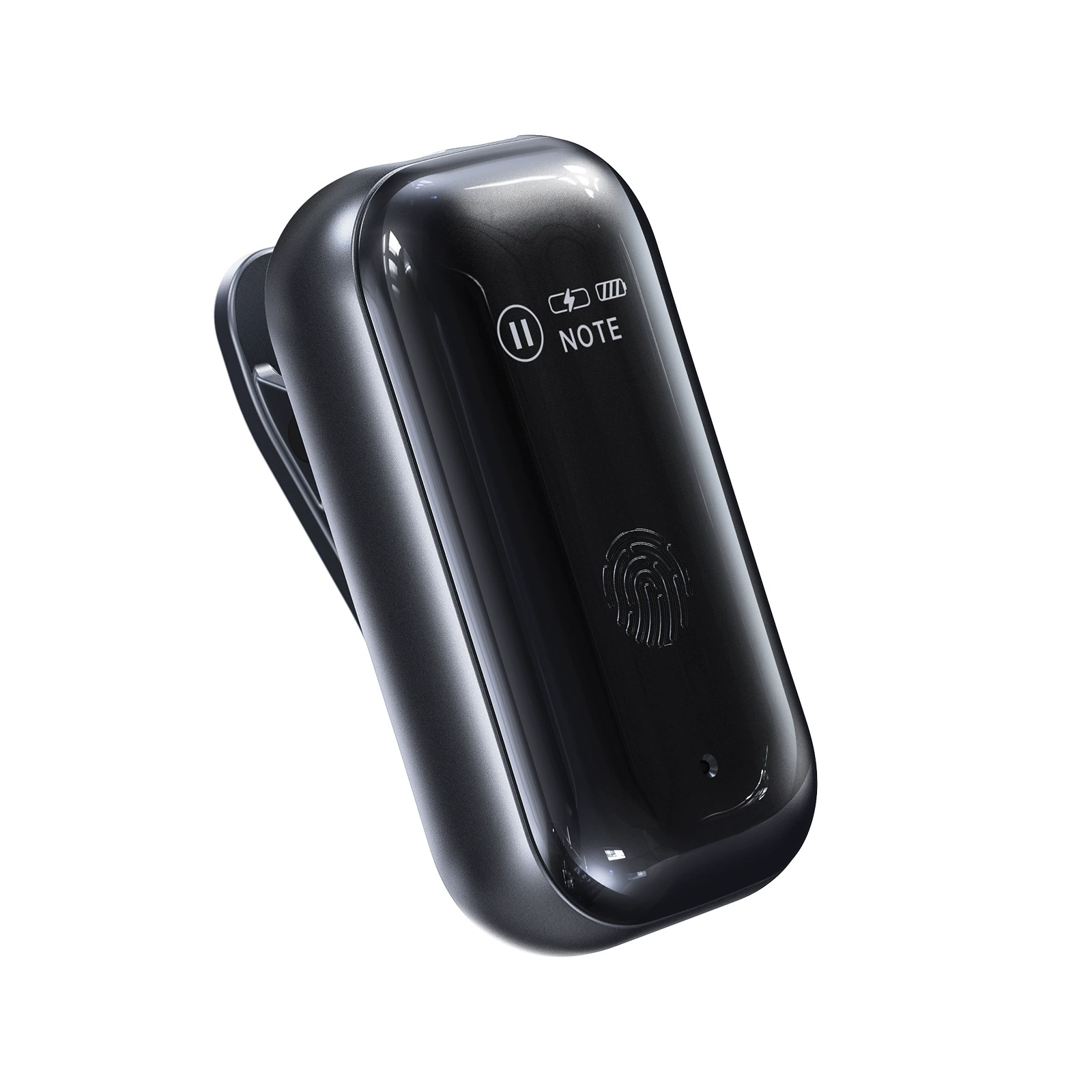
FW921T is a compact wearable digital voice recorder with clip-on, magnetic, wristband and lanyard wearing options. Its companion app is presented with speech-to-text transcription, translation, AI summaries and mind-map tools for reviewing recorded information.
Can it create transcripts and meeting summaries?
The companion app offers transcription and AI-assisted organization, including summaries and action-item tools. Available features and processing allowances depend on the app version and service plan. Check important details against the original audio.
Does transcription or translation work offline?
Offline transcription and translation are not established in the supplied product information. Check the app’s current offline capabilities and internet requirements if you need to use AI tools without a connection.
How long can it record, and should I choose 32GB or 64GB?
The manufacturer’s primary specification lists approximately 22 hours of continuous recording. Actual runtime varies with settings and use. The 64GB version offers more nominal local storage than the 32GB version. Storage capacity does not increase battery life or included AI processing allowances.
Which phones and languages are supported?
The product presentation lists iOS and Android compatibility and multilingual tools. Check the current app listing for operating-system requirements, regional availability and supported languages. Transcription and translation may support different language sets.
Are the AI features free, and how are recordings handled?
A complete subscription price list and free processing allowance are not specified in the supplied product information. Confirm the current plan before purchase. Review upload settings, privacy terms, retention and deletion controls before using the app with sensitive recordings.
Does the fingerprint symbol mean fingerprint unlocking?
The front control area is associated with touch-to-record operation in the product presentation. Biometric fingerprint recognition, fingerprint unlocking and fingerprint-encrypted storage are not established. FW921T records audio and does not support video recording.
FW921T wearable AI voice recorder
Give the conversation
your attention.
Keep an audio reference for later, then explore the app’s tools for reading, reviewing and organizing it. Choose the wearing style and storage configuration that suit your routine.
 Overview
| Color | Black |
|---|---|
| Storage Capacity | 64GB, 32GB |
| Main unit weight | Approximately 34g; accessory weight is additional |
| Main unit dimensions | 44 × 24 × 11.2 mm |
| Recording time | Approximately 22 hours, manufacturer-rated; actual runtime varies with settings and use |
| Display | OLED status display |
| Bluetooth | Bluetooth 5.3 |
| Additional connectivity | Wi-Fi features through the supported device and app workflow |
| Transfer specification | USB 2.0 listed by the manufacturer |
| Mobile platforms | iOS and Android; current app requirements apply |
Reviews
There are no reviews yet.